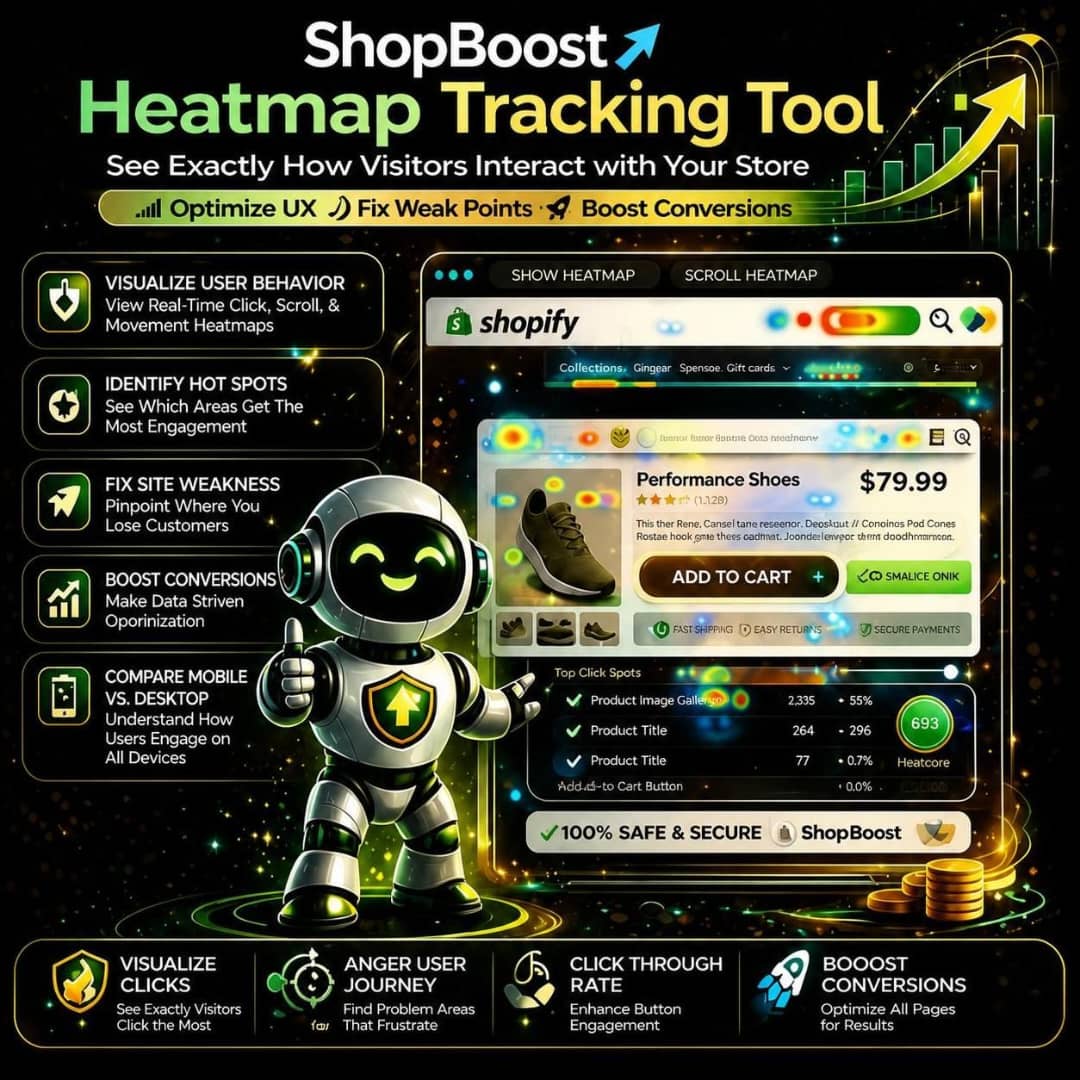
Heatmap Tracking Tool
Heatmap Tracking Tool
Couldn't load pickup availability
ShopBoost Heatmap Tracking Tool – See Exactly How Visitors Interact with Your Store and Turn Insights into Sales
In Shopify ecommerce, one of the biggest challenges is understanding what visitors actually do when they land on your store.
You can see traffic numbers, clicks, and sales. But those metrics do not always explain why customers behave the way they do.
Where do visitors click? Which sections attract their attention? How far do they scroll? Where do they lose interest? And what might be stopping them from completing a purchase?
Without these insights, optimizing your store can become a guessing game, leading to missed opportunities and decisions that fail to deliver the results you expect.
ShopBoost Heatmap Tracking Tool is designed to help you understand visitor behavior through visual insights into how people interact with your Shopify store.
By analyzing click patterns, scrolling behavior, and on-page engagement, heatmap tracking can help you identify areas that work well, uncover potential usability problems, and discover opportunities to improve the shopping experience.
Instead of relying entirely on assumptions, ShopBoost helps you take a more data-driven approach to store optimization, with the goal of turning visitor insights into better customer experiences and more sales.
Why ShopBoost Heatmap Tracking Tool Is Essential for Your Shopify Store
1. Visualize User Behavior with Heatmaps
Understanding visitor behavior is easier when you can see how people interact with your pages. ShopBoost helps you use visual heatmap insights to identify click patterns, scrolling activity, and areas of interaction, making it easier to understand how visitors engage with your storefront.
2. Identify High-Engagement and Low-Engagement Areas
Not every section of your store receives the same level of attention. Heatmaps help reveal which page elements attract interactions and which may be overlooked. ShopBoost helps you use these insights to evaluate your layouts, content placement, and product presentation.
3. Discover Potential Drop-Off Points
Visitors may leave a page before reaching important product details, customer reviews, or purchase buttons. ShopBoost helps you investigate scrolling and engagement patterns to identify areas where visitors may be losing interest and where improvements could make the shopping journey smoother.
4. Optimize Product Pages for Better Performance
Product pages play an important role in purchasing decisions. ShopBoost helps you understand how visitors interact with product images, descriptions, reviews, variant selectors, and other page elements so you can make more informed improvements to your product pages.
5. Improve Call-to-Action Placement and Effectiveness
Your add-to-cart buttons, promotional links, and other calls to action should be easy for visitors to find and use. ShopBoost helps you identify interaction patterns that may reveal whether important elements are attracting attention or being overlooked.
6. Enhance User Experience with Data-Driven Insights
A confusing layout or difficult navigation can create unnecessary friction. ShopBoost helps you use behavioral insights to identify opportunities to simplify page layouts, improve content hierarchy, and make it easier for customers to discover products.
7. Reduce Guesswork in Design and Optimization Decisions
Changing your storefront based solely on assumptions can lead to ineffective results. ShopBoost helps you use observed visitor behavior to inform design decisions, prioritize improvements, and develop more focused optimization experiments.
8. Improve Conversion Opportunities by Addressing Weak Points
Heatmaps can help you uncover potential usability issues that ordinary traffic reports may not explain. By investigating these patterns and testing relevant improvements, ShopBoost helps you work toward a smoother customer journey and stronger conversion performance.
9. Understand Mobile Versus Desktop Behavior
Visitors may interact with your store differently depending on their device. ShopBoost helps you examine behavioral patterns across mobile and desktop experiences, making it easier to identify layout issues, difficult-to-use elements, and opportunities for device-specific optimization.
10. Build a Continuous Optimization System for Growth
Store optimization is an ongoing process. As you introduce new products, update designs, and change promotional campaigns, visitor behavior may also change. ShopBoost helps you establish a repeatable approach to observing interactions, identifying improvement opportunities, and evaluating the impact of changes over time.
Who Should Use ShopBoost Heatmap Tracking Tool?
Shopify Store Owners
If you want to understand how visitors navigate your store and identify opportunities to improve the shopping experience, ShopBoost helps you make more informed optimization decisions.
Dropshippers
If you regularly test products, landing pages, and promotional strategies, heatmap insights can help you investigate how visitors interact with your store and identify areas that may need improvement.
Ecommerce Brands
If you are expanding your product catalog or increasing website traffic, ShopBoost helps you better understand customer interactions and improve the usability of important shopping pages.
Marketing Agencies
If you manage Shopify stores for clients, ShopBoost supports a more evidence-based approach to evaluating page layouts, identifying usability issues, and recommending conversion optimization improvements.
Conversion Optimization Experts
If you focus on experimentation, customer journeys, and conversion rate optimization, ShopBoost helps you incorporate visual behavioral insights into your analysis and testing process.
Why Choose ShopBoost Heatmap Tracking Tool?
ShopBoost Heatmap Tracking Tool is designed for Shopify store owners who want to understand the behavior behind their website metrics.
Traditional analytics can tell you how many people visited a page or completed a purchase. Heatmaps can provide additional context by showing where visitors interact, how they navigate page content, and which elements may be attracting or losing attention.
ShopBoost helps you take a more structured approach to understanding these patterns and translating them into potential improvements.
From evaluating product page layouts to reviewing call-to-action placement and comparing mobile and desktop experiences, heatmap insights can support more informed decisions about your storefront.
Combined with conversion analytics, customer feedback, and A/B testing, behavioral insights can help you build a more effective optimization strategy.
If your goal is to improve user experience, understand visitor interactions, and create a more conversion-focused Shopify store, ShopBoost helps you put customer behavior at the center of your decisions.
See What Your Visitors Do and Optimize for Better Results
If you do not understand how visitors interact with your store, important opportunities for improvement can go unnoticed.
ShopBoost Heatmap Tracking Tool helps you investigate visitor behavior, identify potential friction points, and discover ways to make your storefront easier to navigate.
Use visual insights to guide smarter design decisions, improve product page experiences, and create a more effective path from browsing to checkout.
Stop relying on guesswork. Start understanding visitor behavior and optimizing your Shopify store with ShopBoost.
Share